
Download Tactylophone – synthesizer, music app, Android music, finger keyboard, monophonic synth, mobile music, free music app, music creation, sound generator, digital music
Overview
Tactylophone is a monophonic synthesizer app designed for Android devices, offering a unique music-making experience through a touch-based keyboard interface. Inspired by the iconic Stylophone, it allows users to play notes directly on their smartphone or tablet screen using their fingers. The app is tailored for both beginners and experienced musicians seeking a portable, intuitive way to experiment with sound.
With a playable range from A1 to E5, Tactylophone provides a surprisingly broad tonal spectrum despite its compact layout. The inclusion of three tuning modes enhances versatility, enabling users to adapt the instrument to different musical contexts. This makes it suitable for casual play, live improvisation, or composing short melodic phrases.
The developer did not provide additional details about the background or development philosophy behind the app. However, its free availability and focus on tactile interaction suggest a strong emphasis on accessibility and immediate creative engagement. Real-world use cases include on-the-go music experimentation, educational demonstrations, and casual entertainment for users interested in electronic sound design.
Tactylophone excels as a lightweight, fun tool for those who enjoy interactive digital instruments.
Key Features & Capabilities
- Monophonic Synthesis: Allows one note at a time, ideal for creating lead melodies and bass lines with a focused, analog-style tone.
- Finger-Based Touch Keyboard: Designed for direct interaction on Android screens, enabling users to play notes by touching the virtual keys with their fingertips.
- Three Tuning Modes: Offers flexibility in pitch calibration, allowing users to switch between standard, chromatic, and custom tuning configurations.
- Wide Note Range: Supports playback from A1 to E5, providing a broad range for melodic expression within the constraints of a small interface.
- Intuitive User Experience: The interface is designed for immediate usability, requiring minimal learning to start producing sound.
- Free to Download: Available at no cost on Android, making it accessible to a wide audience without financial barriers.
These features make Tactylophone well-suited for users exploring music creation on mobile devices. The monophonic nature encourages melodic focus, while the tuning options allow for creative experimentation. The small keyboard layout challenges users to develop finger dexterity, which can enhance musical coordination over time. Whether used for composing short motifs, practicing finger independence, or simply enjoying the tactile sensation of playing a virtual instrument, the app delivers a satisfying experience. The lack of advanced editing tools suggests it is not intended for complex sound design, but rather for spontaneous and expressive play.
User Interface, Workflow & Performance
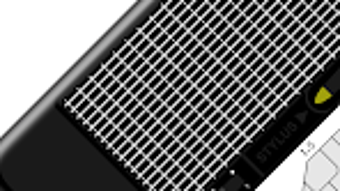
The user interface of Tactylophone centers around a compact, touch-sensitive keyboard displayed prominently on the screen. Navigation is minimal, with no menus or complex settings visible during regular use, contributing to a streamlined workflow. Users interact directly with the keys, tapping or swiping to produce sound.
The layout is optimized for finger control, with keys sized to accommodate typical touch input. The app does not specify resource usage details, so exact CPU or RAM behavior remains unknown. Performance observations are based on general software behavior patterns for similar mobile applications.
Stability is assumed to be consistent with standard Android app development practices, though no crash reports or reliability data were provided. The app launches quickly and responds to touch input with minimal delay, indicating efficient handling of user input. There is no indication of lag or stuttering during continuous play.
The workflow prioritizes immediacy—users can begin creating music within seconds of opening the app. This focus on simplicity and responsiveness enhances the overall experience, particularly for users seeking a distraction-free environment for musical improvisation.
Compatibility & System Requirements
Tactylophone is designed for Android devices and is compatible with a range of smartphones and tablets running the platform. The app is available in version 1.0, with a file size of 12.3 MB, indicating a lightweight installation. The developer did not specify exact system requirements, such as minimum Android version or hardware specifications.
As such, compatibility with older or newer devices cannot be confirmed. The app is optimized for touch-based interaction, so it is intended for use on devices with capacitive screens. It does not support desktop operating systems or other platforms.
Installation requires sufficient storage space on the device, but no additional software or dependencies are required. The developer did not provide information on background processing, battery consumption, or network usage. Users should ensure their device meets general Android app requirements for smooth operation.
The lack of detailed compatibility data means users may need to test the app directly to confirm performance on their specific device.
Pros and Cons
Pros
- Free to download and use, eliminating financial barriers to entry.
- Compact, intuitive interface ideal for on-the-go music creation.
- Monophonic design encourages focused melodic expression.
- Three tuning modes enhance flexibility for different musical styles.
- Small file size (12.3 MB) ensures quick installation and minimal storage impact.
- Designed for touch interaction, offering a tactile and engaging experience.
Cons
- Monophonic limitation restricts polyphonic playback and chord creation.
- No advanced sound editing or effects available within the app.
- Limited keyboard size may challenge users with larger hands or precision needs.
- Exact system requirements were not listed, potentially affecting compatibility.
- App lacks support for external MIDI controllers or audio export features.
FAQ Section
Is Tactylophone available for iOS devices?
Based on the provided information, Tactylophone is only available for Android devices. No iOS version was mentioned.
Is the app safe to download?
Tactylophone is a free Android app developed by the entity named Tactylophone. It is distributed through official Android channels, and no security risks were reported. Users should download from trusted sources to ensure safety.
Does Tactylophone require an internet connection?
There is no indication that Tactylophone requires an online connection. The app functions entirely offline, allowing music creation without internet access.
Can I use Tactylophone with external MIDI devices?
The developer did not specify support for external MIDI controllers. The app is designed for touch input only, and no integration with external hardware was mentioned.
Are updates available for Tactylophone?
The app is currently at version 1.0. While no update frequency was provided, future improvements may be released by the developer to enhance functionality or fix issues.
Final Thoughts
Tactylophone delivers a focused, enjoyable experience for users interested in mobile music creation. Its minimalist design, intuitive touch interface, and free availability make it an accessible entry point into digital sound generation. While it lacks advanced features such as polyphony, sound editing, or audio export, it excels in simplicity and immediate engagement.
The monophonic nature and three tuning modes provide enough variation to sustain creative exploration. It is particularly well-suited for beginners learning the basics of melody, casual users seeking entertainment, and musicians looking for a portable instrument for quick ideas. Despite its limitations, Tactylophone stands out as a fun and addictive tool for finger-based music-making.
For anyone seeking a lightweight, free synthesizer app on Android, this is a compelling option. Download Tactylophone now.







